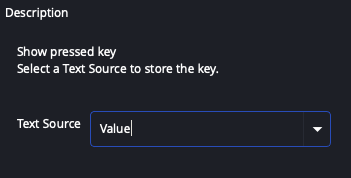
Keyboard input
Monitor OBS hotkeys.
- Send hotkey to a Text source.
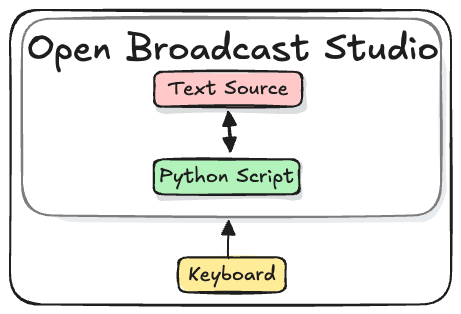
Keyboard keys pressed trigger OBS hotkeys. The hotkey value is passed to a Text source.
The User creates a text sources to store and display incoming hotkey values.
A text source is used because changes to a text source are easily observed by WebSocket clients. When a text source is updated an "InputSettingsChanged" event is sent to webSocket clients. See the Key Overlay Example tutorial for a complete example.
Setup
Add the Keyboard Input Script to OBS
The "Keyboard Input" script and accompanying OBS Collection can be found on Github.
python keyboard input repo
Import the Keyboard Input OBS Collection
- Download the Keyboard input Collection
- In OBS, from the menu select
Scene Collection > Import - Import the collection
- Choose the collection
Scene Collection
Add the Script
- Download the Keyboard Input Script
- In OBS, from the menu select
Tools > Scripts - Click the
+ Add scriptbutton
Configure Text Source
Choose Source